

Procyon® Essentials Benchmark

A browser-focused benchmark for multitasking professionals
How many of us can relate to the consistent multitasking required during our working days? Switching between projects being worked on in parallel, multiple tabs open, sometimes a work call on in the background. Technology is moving forward at a rapid rate, and artificial intelligence (AI) capabilities within new PC hardware releases are growing every year.
Procyon Essentials is the latest benchmark in the Procyon suite, part of the ULTRUS® software portfolio. Procyon Essentials is a multitasking and browsing-focused benchmark, covering real-world workloads that professionals use in everyday life. The standard run will not require any third-party software, allowing this benchmark to be accessible to all.
Features
- Multitasking and browsing focused
- External applications such as Adobe and Office not needed
- Multitasking workloads to simulate a busy professional day
- Simple to set up
- Built for Windows 11
- Windows on Arm native
How does this multitasking benchmark work?
Foreground workloads
App Startup
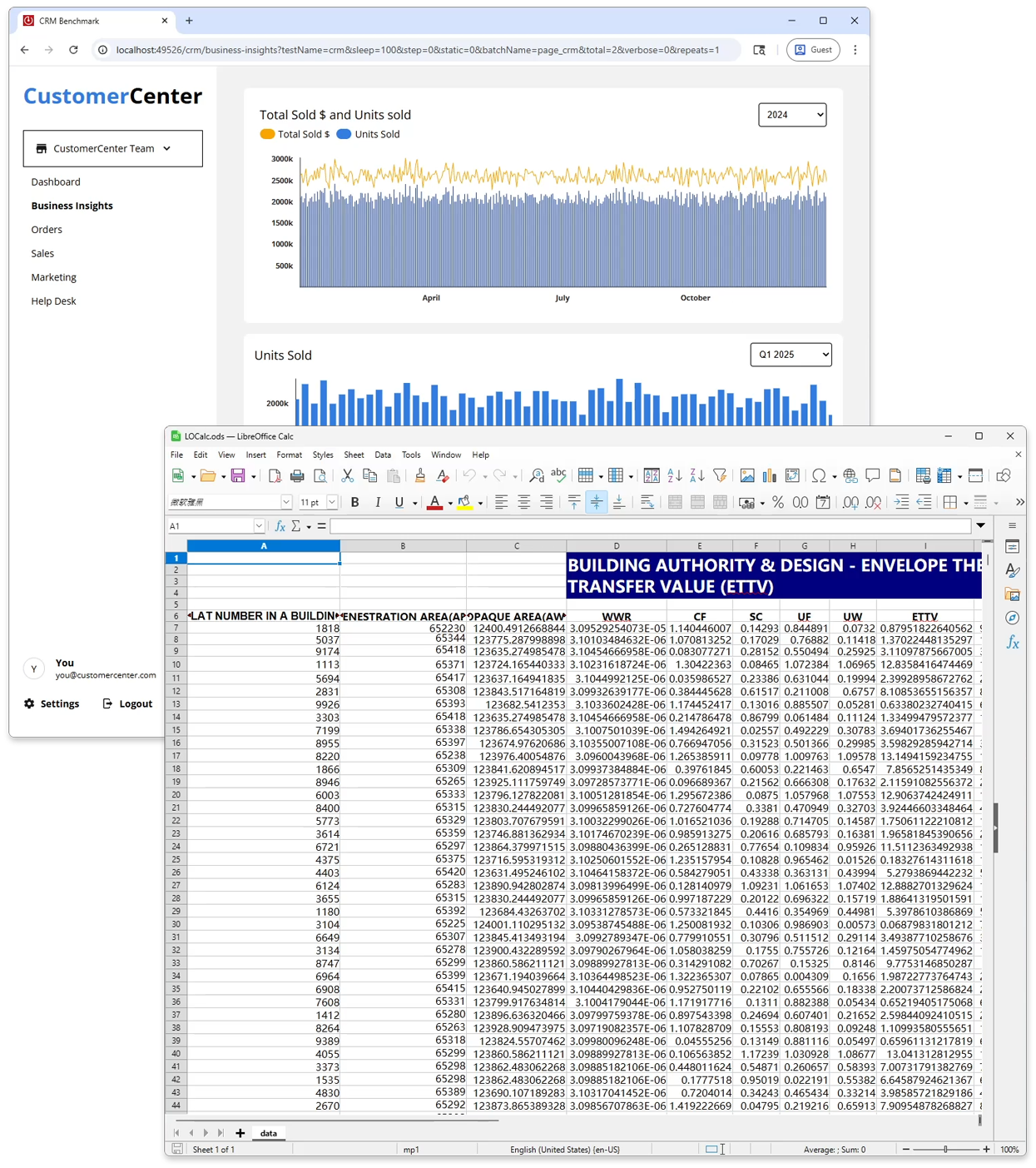
This workload measures how quickly commonly used apps launch under real‑world system pressure, helping to highlight responsiveness when it matters most. App startup returns by popular demand and builds on the legacy of our earlier benchmark, PCMark 10, bringing a familiar yet modern measure of everyday productivity performance.
Browsing
Following app startup, we simulate a heavy browsing session built around realistic workday scenarios. This includes staying active in work chat, engaging with social media during the workday, and performing data‑intensive tasks on a CRM dashboard. Alongside familiar interactive map-browsing scenarios, the workload includes modern, AI‑powered browser experiences such as local content summarization and real‑time translation.
File operations
The benchmark also includes a new file operations test that covers common actions such as file copying, pasting, and deletion, alongside more demanding workloads like file compression and decompression, helping assess how efficiently the system handles these operations under typical use.
Background Workloads
Browser tabs
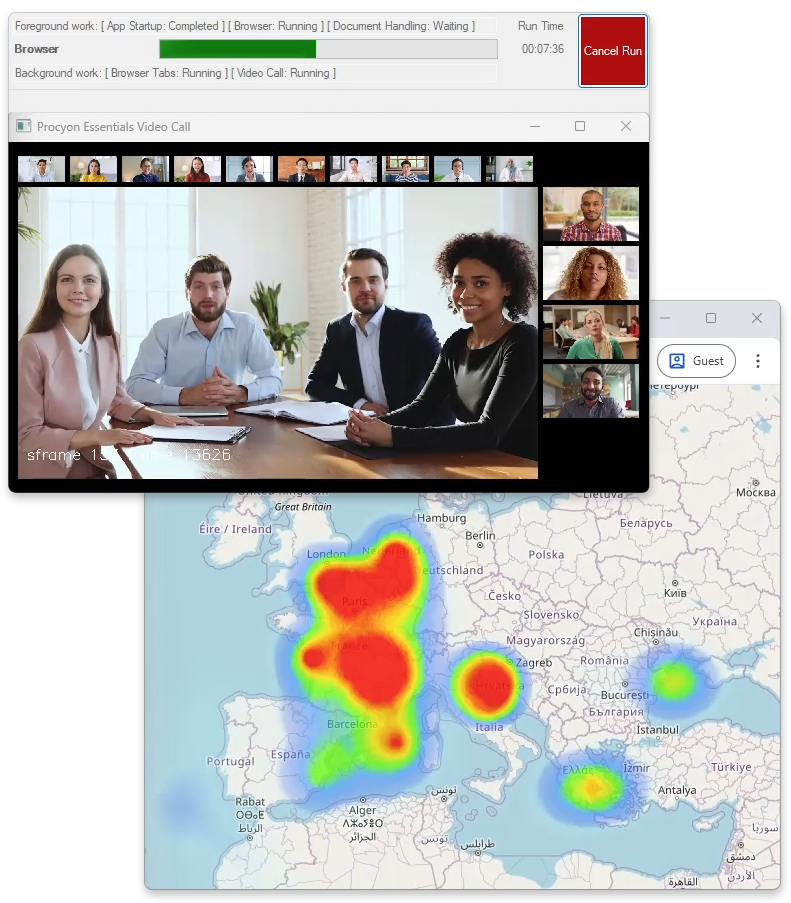
This workload mirrors real user behavior by opening up to 30 web pages in browser tabs. Designed to deliberately consume system memory, it serves as an ideal background load for evaluating how sustained web browsing pressure impacts the performance and responsiveness of more demanding foreground workloads.
Video Call
Video calls are often a routine and integral part of the working day. Our benchmark showcases real‑world performance by leveraging the tiny variant of SAM 2.1 to enable background blurring during video calls. Running continuously as a background workload, it is built on Windows ML and intelligently accelerates on the NPU when available, delivering efficient, always‑on performance without compromising responsiveness.
Reduce complexity, make sense of results and monitor your hardware in one place
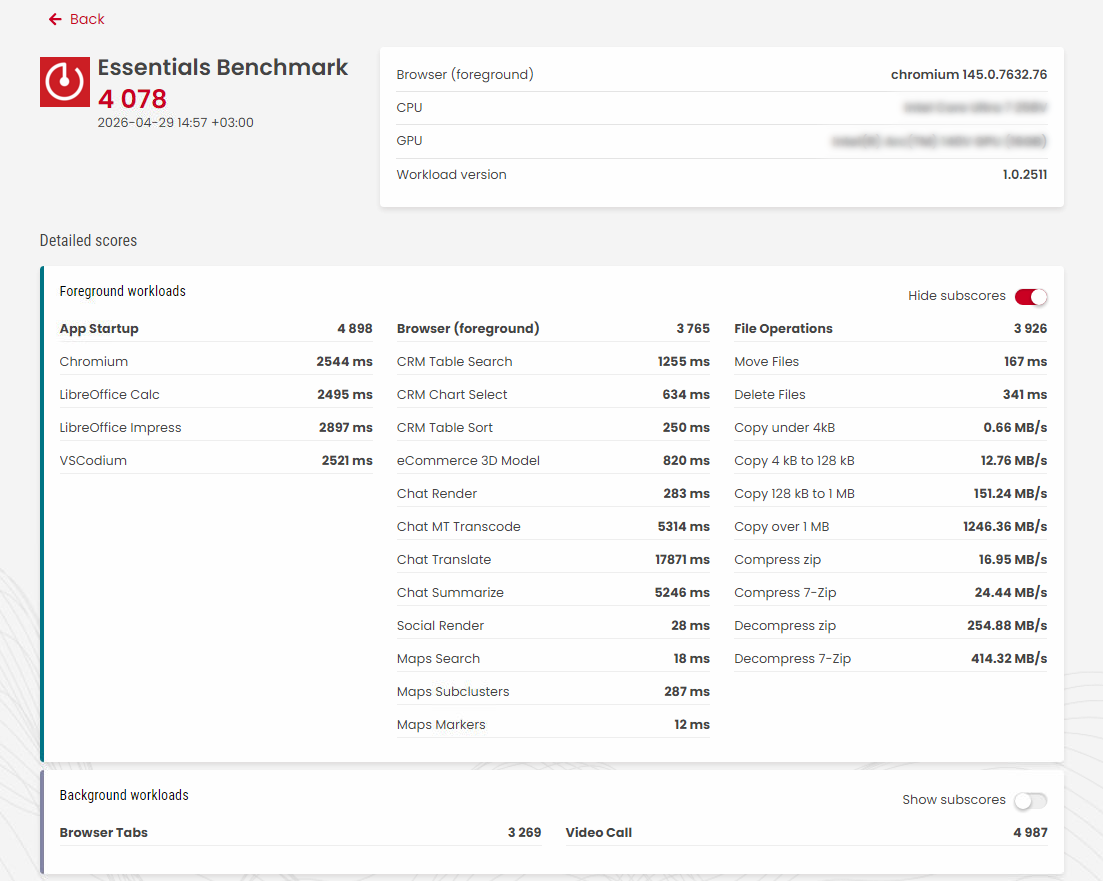
- Condense complex spec sheets, software versions, power saving states and other hidden details that affect performance into an easy-to understand single score.
- Flexible options help you turn data into actionable insights. Run custom tests using your preferred Edge or Chrome browser.
- Execute workloads individually to quickly isolate and debug issues, or run full benchmarks for a complete overview.
- Our benchmarks are built around real‑world scenarios, delivering detailed metrics that show how component usage can change throughout each run.
How can this benchmark help you save money?
We test these different components to provide you with a single score that can help you to make sure your PC is able to handle your workload and allow you to perform your best at work.
Regularly measuring this kind of data under consistent conditions can provide IT procurement teams with valuable insights into their fleet of PCs and the performance these devices deliver to employees.
Site license
get Quote Press license Request trial- Annual site license for Procyon Essentials.
- Unlimited number of users.
- Unlimited number of devices.
- Priority support via email and telephone.
Benchmark Development Program
Contact us Find out moreThe Benchmark Development Program™ is an initiative from UL Solutions for building partnerships with technology companies.
OEMs, ODMs, component manufacturers and their suppliers are invited to join us in developing new AI processing benchmarks. Please contact us for details.
Stop guessing, start knowing.
You’re not just seeing synthetic benchmarks — you’re seeing workloads that are developed in close partnership with the industry, so they stay relevant, realistic and representative of what matters most in the workplace.
Whether you're in IT procurement, support, or management, the benchmark score Procyon gives, allows you to have a clear, actionable view of performance. The Procyon suite is now a complete solution for professional workers in all industries. Flexible licensing lets you pick and choose the individual Procyon benchmarks that best meet your needs. You can buy just one benchmark or add more in any combination.
Stop guessing, start knowing. Procyon Essentials is available for license now.
Windows minimum system requirements
| OS | Windows 11 23H2 or later |
|---|---|
| Processor | x86-64 or Arm64 |
| Memory | 16GB RAM |
| Graphics | A supported iGPU or dGPU |
Ready for Windows 11
Procyon benchmarks are compatible with Windows 11.
Ready for Windows on Arm
Procyon Essentials Benchmark leverages ARM-native applications to deliver accurate performance measurements without emulation overhead.
Support
Latest 1.1.2813.0 | Aug 17, 2026
Languages
- English
- German
- Japanese
- Portuguese (Brazil)
- Simplified Chinese
- Spanish